
Operated by neighborhood associations
"Hassle"
Solve the "hassle" of neighborhood association and residents' association management with digital solutions!

With the declining birthrate, aging population, and changing lifestyles,
it is nowessential for neighborhood associations and residents’ associations to adapt their operational methods .
At Smile Farm,
we utilizedigital toolsto support the creation of “sustainable neighborhood associations and residents’ associations .”

Illustration of clouds
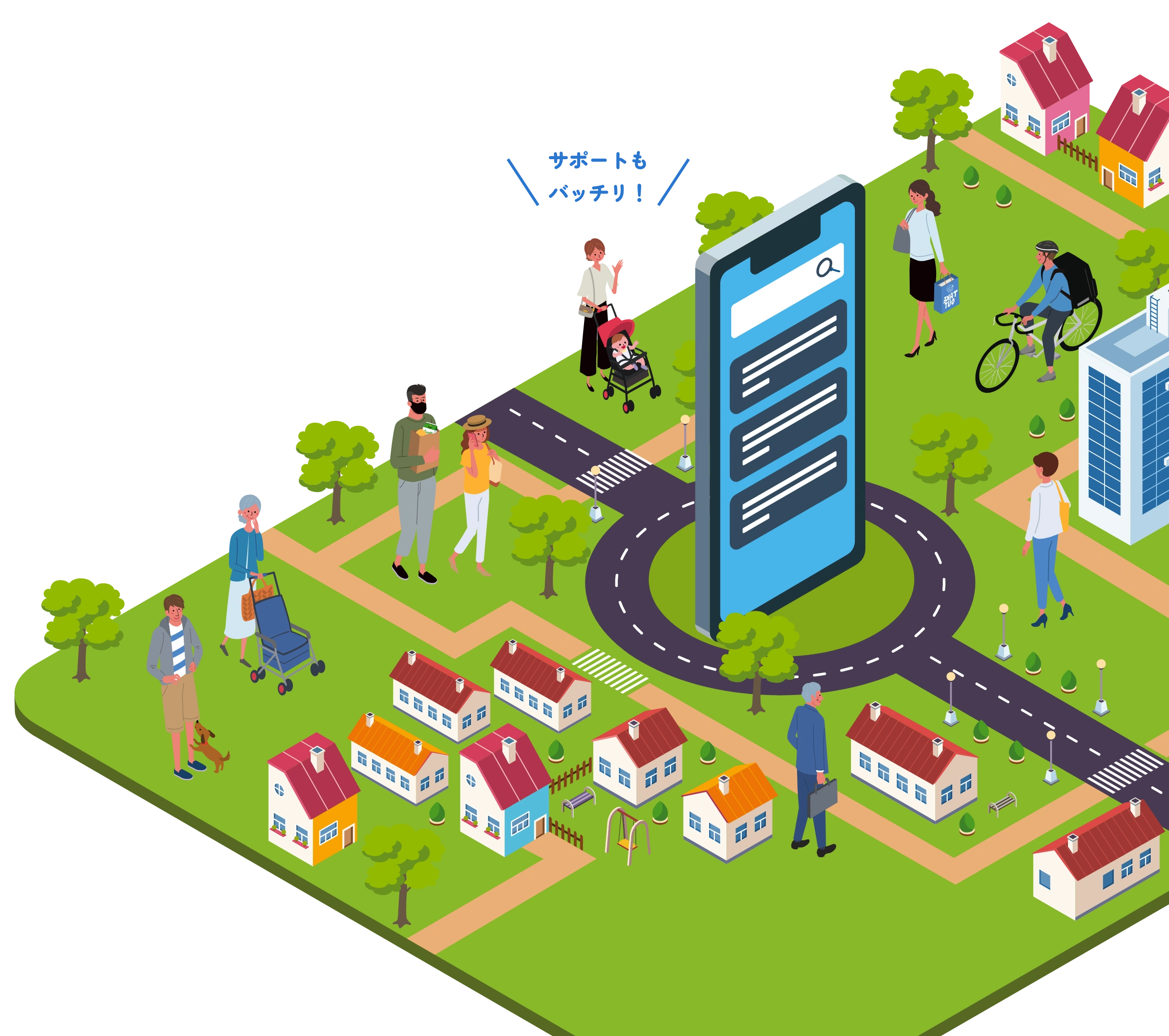
Illustration of the town

Solve these challenges!

  • Many households are away, making it difficult to pass around the neighborhood bulletin board
  • The number of members in the neighborhood association is declining, and there are no volunteers to serve as officers.
  • I would like to learn about sustainable management practices for neighborhood associations and residents' associations.
  • We want to promote digitalization that ensures security
  • We want to digitize our efforts to check on elderly people living alone
  • From a disaster prevention perspective, we want to establish a system for the rapid dissemination of information
Illustration of a person facing challenges

Comprehensive support from launch to operation
Easy to use and reliable!

5 Reasons Why We're the Top Choice

  1. Since it’s an app that’s easy for seniors to use, it’s also easy to manage!

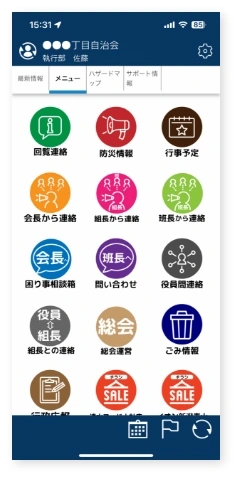
    With notification features and a user interface designed to be intuitive even for seniors who are not accustomed to using smartphones, users can instantly see where to tap to access information.
    We can also provide a curated selection of smartphone and tablet apps specifically tailored for seniors.

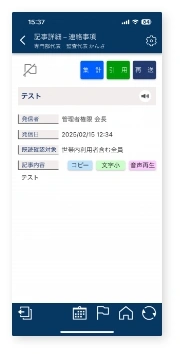
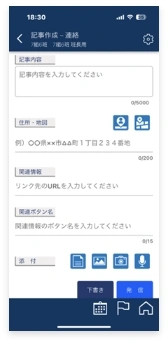
    App Screenshots App Screenshots App Screenshots
  2. With our unique, comprehensive support system, we are creating an environment that is easily accessible to residents of

    We offer support designed to reduce the workload of neighborhood association and residents’ association officers, including launching operational training sessions for residents, holding smartphone classes for seniors, and digitizing membership rosters.
    While these services are provided for a fee, local government subsidies may be available in some cases, so please feel free to contact us for a consultation.

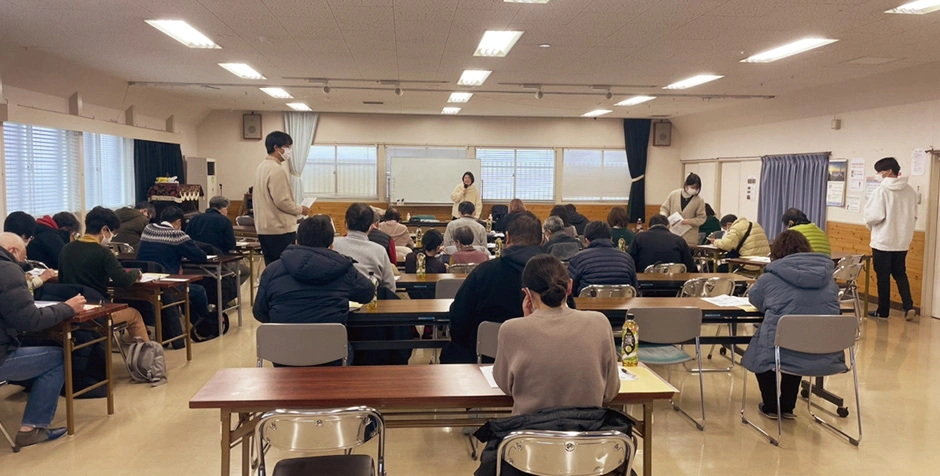
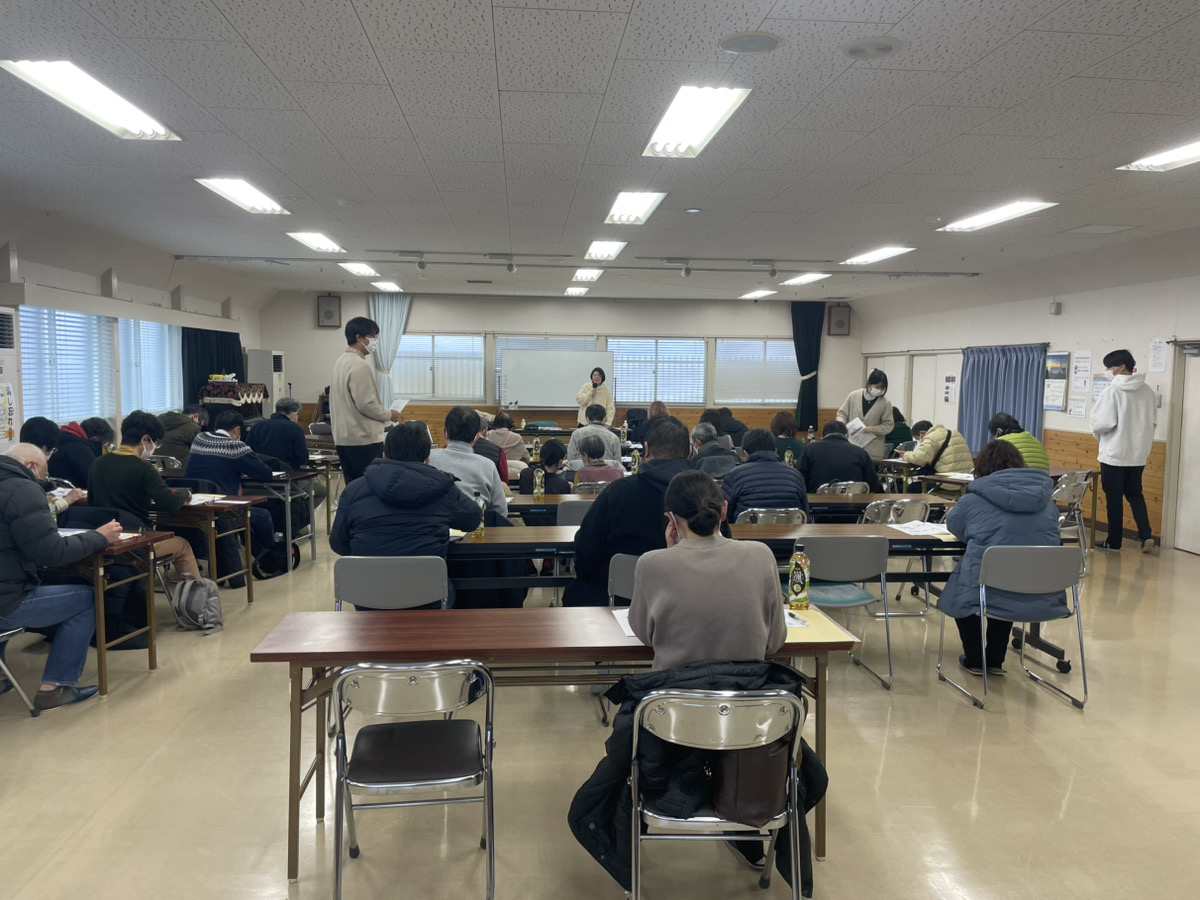
    Scenes from the training session
  3. Centralized management of care for households requiring support using the
    app

    By linking the SIM-enabled monitoring light with Yui Net, you can receive notifications about the status of each household. This allows you to check whether those in need of support are living their daily lives as usual, even when you cannot visit them in person, enabling multiple people to monitor their well-being with peace of mind.

    Emergency Notification

    • On for more than 24 hours
    • Notify the app
    • Confirmed by the neighborhood watch group

    If a light bulb remains on for more than 24 hours , a notification will be sent to the app of the designated monitor in the
    monitoring group.

  4. Since this app is available only to specific invitees,
    personal information is less likely to be leaked


    can be operated in environments where external access to
    is restricted

    When using the app, administrators can register user accounts in bulk.
    This helps prevent the risk of outsiders impersonating others to gain access to the neighborhood association's dedicated app.

    Can be operated in an environment where external access is restricted

    No need to register an email address or phone number at
    , and personal information is less likely to be leaked at

    You can create an account without providing a phone number or email address, so you won’t receive any communications via email or LINE.
    This allows for secure management exclusively through the app.

    No need to register an email address or phone number, making it less likely for personal information to be leaked

    The registration process consists of two steps: downloading the app at
    and scanning the QR code at
    .

    With "Yui Net," which we recommend, administrators can register accounts and issue a unique QR code for each account. This allows users to easily log in by simply installing the app and scanning the QR code.

    Registration is completed in two steps: downloading the app and scanning a QR code
  5. Usability and Peace of Mind— We Conduct Thorough Testing Through Pilot Projects and

    With the cooperation of a wide range of users, including seniors and people with visual impairments, we evaluated various neighborhood association and community management apps.
    As a result, we selected the app that offered the best user experience and the most reliable operation, and developed a system that makes it easy for neighborhood associations and community groups to adopt.

    A picture of someone using the app

Contact Us

Click here for inquiries, such as requests for a demo !

\ Call us here Weekdays/9:00 AM–5:00 PM / \ Call us here / Weekdays/9:00 AM–5:00 PM

You can do that too!?

Features

You can use the response feature to indicate whether you can attend
or to vote on resolutions at the general meeting.

You can use the response feature to indicate whether you can attend and to vote on resolutions at the general meeting

Using the polling feature enables two-way communication.
The app automatically tallies the responses, making it easy to coordinate event participants and tally votes.

You can also contact executives directly via one-on-one messages at

You can also contact executives directly through one-on-one communication

If an officer needs to contact a member directly regarding matters such as membership fee reminders, they can send a personalized notification.
This allows for communication within the scope of their permissions without having to use phone calls, email, or LINE.

In the event of a disaster, use the disaster mode at
to check on the safety of others, and
to quickly share information.

In the event of a disaster, use Disaster Mode to check on people’s safety and share information quickly

Accompanied by an alert sound designed to catch residents' attention, the system performs safety checks and automatically compiles safety status data, allowing all residents to share this information.
This enables the system to quickly identify those in need of assistance and take immediate action to help them.

You can also submit feedback to group leaders and board members.
By utilizing the inquiry function
,
you can alleviate residents’ concerns and
ensure smooth operations.

Residents can also submit feedback to block leaders and board members. By utilizing the inquiry function, we can address residents’ concerns and ensure smooth operations.

You can also add a feature that allows general residents to contact officials with decision-making authority, such as neighborhood association presidents, community association presidents, block leaders, and group leaders.

There are so many other features too!

  • Bulk distribution of materials from local governments
  • Mass messages sent within the organization by executives, team leaders, group leaders, etc.
  • Survey on Event Attendance
  • Send a mass email regarding the children's club to eligible members only
  • Broadcast notifications about construction and road closures to the affected areas
  • Individual inquiries from residents to board members and others
  • One-on-one notifications and communications to residents
  • You can also add external links to resources that make daily life easier, such as a garbage collection schedule
  • Centralized Management of Elderly Monitoring
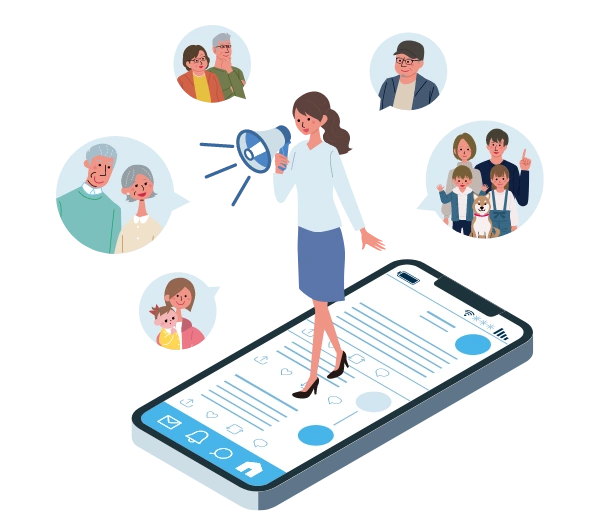
An illustration of the person calling out from the app

System Requirements

  • Smartphones and tablets

    Smartphones and tablets

    iPhone: iOS 10 or later
    iPad: iPadOS 10 or later
    Android: Android 5.0 or later


  • ( )

    Feature phone

    All models (excluding some older models)
    *Viewing only; you cannot make calls.

  • Computer

    Computer

    Google Chrome for Windows (Latest)
    Mozilla Firefox for Windows (Latest)
    Microsoft Edge for Windows (Latest)

Price List

Initial Costs for Implementing the Yui Net App

Community organizations (neighborhood associations, residents' associations, etc.)

Community organizations (neighborhood associations, residents' associations, etc.)

66, 000 yen (including tax)

Local governments and community organizations

Local governments and community organizations

198, 000 yen (including tax)

Operating costs

The monthly fee for
varies depending on the number of issued IDs and your organization's details.
Click here for more details.

In the case of community organizations (such as neighborhood associations)

In the case of community organizations (such as neighborhood associations)

Unit Price* Up to 110 yen × Number of IDs + Base Fee*

*The base rate varies depending on the number of households.

*The unit price varies depending on the number of IDs issued.

For example… For a neighborhood association with 300 households
In the case of a neighborhood association with 300 households
Unit price 99 yen
×
Number of IDs 300 households
+
Base Rate 1, 100 yen
Monthly 30,800 yen (tax included)
For local governments and community organizations

For local governments and community organizations

Unit price 110 yen × Number of IDs + Base Fee*

*The base fee varies depending on the number of IDs issued.

For example… In the case of a village with 300 households
In the case of a village with 300 households
Unit price 110 yen
×
Number of IDs 300 households
+
Base Rate 5, 500 yen
Monthly 38,500 yen (tax included)

Options

The total cost is calculated as the initial setup fee plus the monthly service fee plus any optional fees.

                                                               
Instructions for Residents 1 session (approx. 1.5 hours) from 20,000 yen
Creating an Original Manual Starting at 50,000 yen
Smartphone Training Session 1 session (approx. 1.5 hours) from 20,000 yen
Digitization of Membership ListsInitial costs: From 100,000 yen

Monthly fees: From 15,000 yen
Monitoring Light IntegrationStarting at 1,200 yen per month (per light bulb)
Arrangement of smartphones, tablets, and SIM contracts It depends on the model you choose

*Transportation costs for the above are billed separately.

Comparison Chart

After comparing various neighborhood association management apps at
, we found
to be both reliable and user-friendly. We have developeda support service for managing neighborhood associations and community groups using "Yui Net . "

Yui Net Company A Company B Company C
Fees Initial setup fee 60,000円 30,000円 0円 100,000 yen
Available for free for 5 months
Monthly Basic Fee 2,000 yen per month 3,000 yen per month 5,000 yen/month* 3,000 yen per month
Average cost per user (household) 80円 30 yen/month 80 yen* 70円
Features Account Permissions ×
Customization options × × ×
Senior Monitoring Feature When paired with a monitoring light bulb, you can receive notifications via Ketsunet if the switch hasn't been operated for an extended period. × × ◎If there is no response for a certain period of time, the welfare app will send a notification to family members living elsewhere and the designated officers of the residents’ association or neighborhood association.
User Registration Process ① After pre-registering your member information, generate a QR code and scan it with the app to log in.
② Users can also register on their own.
Scan the QR code, register your email address on the dedicated website, and submit the form. Registration will be complete once approved.
Alternatively, the administrator can register the user.
An email address is required during registration Enter the required information in the registration form (there are many fields)
Enter your mobile phone number → SMS verification is required
*Free for residents; neighborhood associations must upgrade to a paid plan to access additional features

Implementation Process

We will tailor our approach to suit the specific circumstances of each neighborhood association .
In addition, starting the process in conjunction with traditional paper notice boards can help alleviate residents’ concerns .

  1. Hearing on the Challenges Faced by Neighborhood Associations

  2. Proposing operational approaches that lead to problem-solving

  3. Create a test account with features that help solve the problem

    We recommend groups that include people who are comfortable using smartphones, as well as groups where many members find it easy to communicate.

  4. Create accounts for the early adopter group and conduct operational testing

  5. Please digitize and share the membership directory

    * We can also assist with the digitization of your membership directory.

  6. Create accounts for all residents

  7. Issuing QR Codes and Distributing Them to Residents

  8. We will hold regular training sessions and smartphone classes for residents to help them become familiar with using
    .

Estimated time until full-scale operation

We anticipate it will take about six months to a year after we obtain the consent of the neighborhood association officers.

FAQ

  • Many older adults don’t own smartphones—do you think we can get them to adopt this technology?
    A smartphone or tablet is required to use the app. If you do not currently own one, you can either purchase a new device or borrow one from your neighborhood association.
    We offer support starting with smartphone training sessions, and even people in their 90s have been able to learn how to use the app with ease. We are here to help ensure a smooth transition, so please feel free to contact us.
  • We would like to implement this at the city or ward level (as a government initiative) rather than at the neighborhood association level. Is it possible to discuss this with you?
    Of course, we also provide support for implementations at the municipal level.
    Just as we do for neighborhood associations, we offer support for residents, such as hosting smartphone classes. Please feel free to contact us for more information.
  • Is there a free trial available?
    Yes, a free trial is available.
    First, we’ll discuss your specific needs—such as the challenges you’re trying to solve and how you plan to use the service—and then we’ll set up a trial account so you can try out the features for yourself.