Notice

2025.10.03 Notice

How to convert paper handouts and flyers into PDFs using a smartphone app and extract the text data (free)

I think the main hurdle when trying to digitize a neighborhood bulletin board is the fact that many of the materials aren’t available in digital format.

Even if we wanted to digitize these materials, the reality is that it is difficult to obtain digital data from all publishers—since the sources of these circulars, such as flyers and notices, range widely beyond just the local municipalities (towns, villages, and wards) to include local elementary and junior high schools, as well as private companies.

That’s where smartphone apps come in handy.

It can scan photos and convert them into PDFs (digitize them), or scan text and convert it into text data.

In this article, we’ll explain two methods for handling handouts that are only available in paper form: (1) how to convert them to PDF, and (2) how to scan the text and convert it into text data.


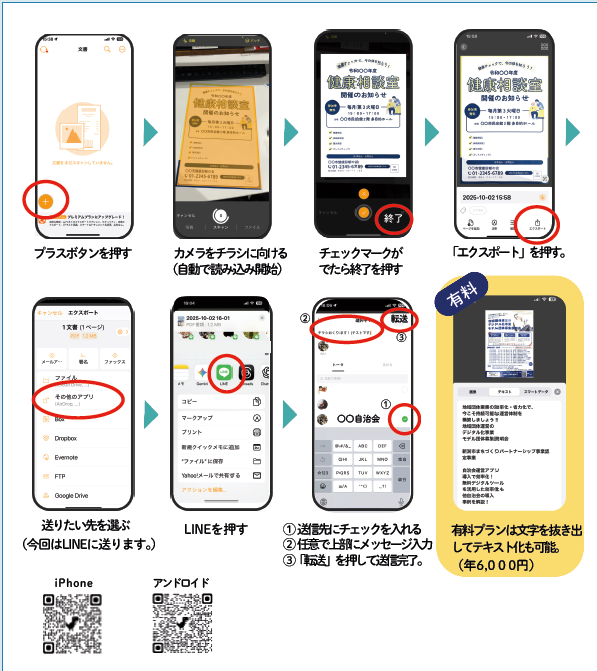
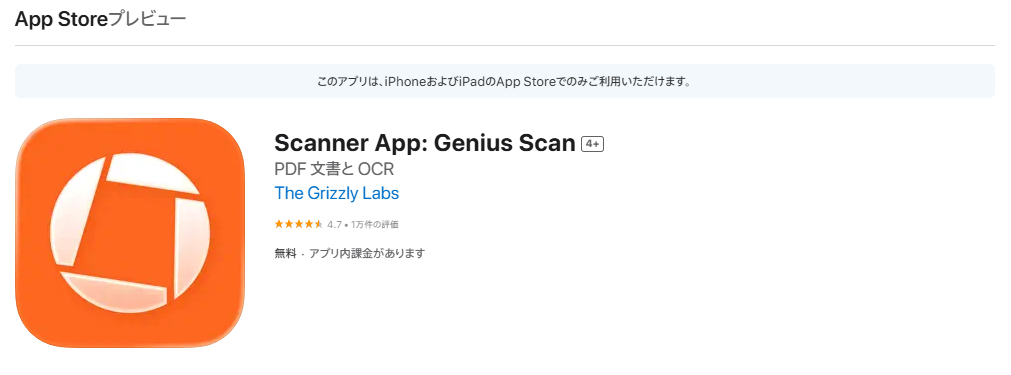
: A scanner app that turns paper flyers and notices into PDFs with just a photo

This app works on both iOS and Android, and it’s incredibly handy.

Launch the app and take a photo of the flyer or other document you want to convert to PDF. Even if the photo comes out crooked, the app will automatically correct it to look perfect.

You can save the converted PDF file to a folder on your smartphone, or send it directly via LINE or other messaging apps.

It's incredibly useful for distributing information via Yui Net as an electronic bulletin board!

Additionally, if you upgrade to the paid plan (6,000 yen per year), you’ll also be able to extract text data.

It can even recognize text on handwritten flyers.

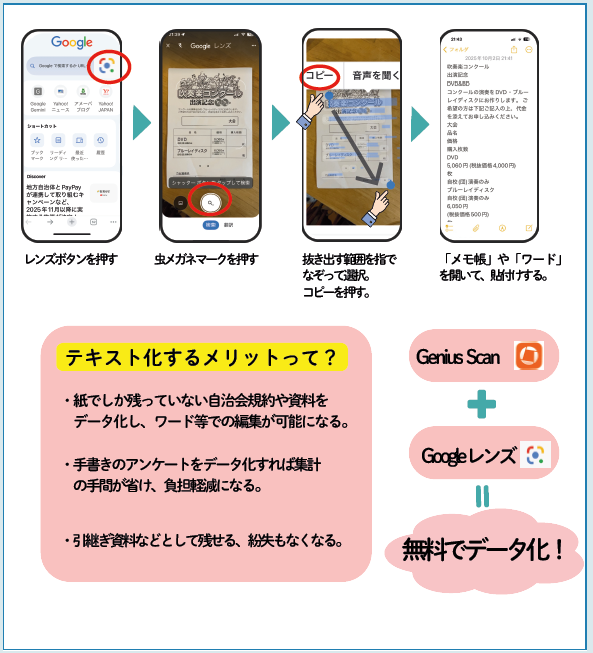
When you want to extract text from paper flyers or notices, Google Lens can accurately recognize the text and convert it into digital text.

It’s a real hassle to read flyers and announcements, summarize them, and then send them out, isn’t it?

However, with Google Lens, you can easily extract text from paper documents like flyers and notices and convert them into text data!

And it's incredibly accurate!

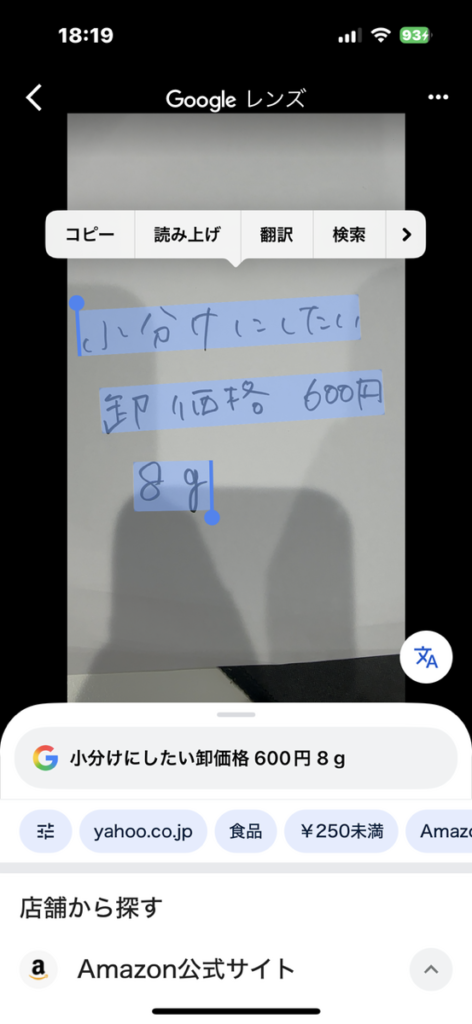
This one isn't exactly neat handwriting either...

It recognized the text correctly!

Use apps wisely to make managing your neighborhood association easier!

As you can see, there are plenty of convenient apps that are easy to use on your smartphone.

Yui Net is, above all, "an app designed specifically for neighborhood association management, featuring information dissemination and disaster response capabilities."

Let’s use handy apps to quickly take care of the administrative tasks that come before sending out information!